See whose move it is on a new project or sub
Starting a project or bringing on a subcontractor takes moves from several companies, and stalls happen in the gaps. Both sides now see the same steps, and which of them is waiting on whom.

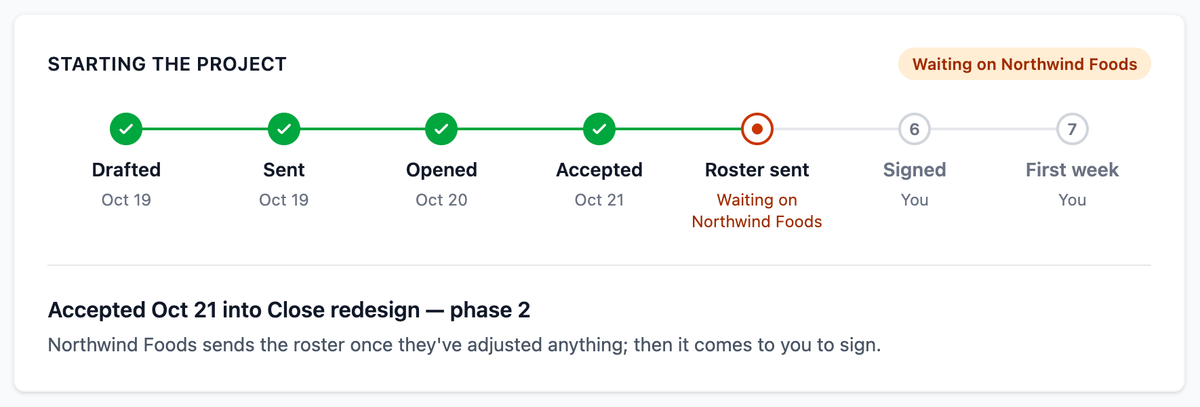
Getting a new engagement going takes several moves, and they belong to different people at different companies. The firm drafts and sends an offer, the client accepts it and adjusts the roster, the firm signs. None of it is hard. What stalls it is the gap between the moves, where each side assumes the other has it. The firm is waiting for the client to send the roster; the client thinks the roster is with the firm.
Until now, finding out meant opening the record and working out from what was there which step it had reached, or sending the email that begins "where are we on this?" Offers and projects now carry a strip of steps that answers it. It runs from Drafted, Sent, Opened and Accepted through to Roster sent, Signed and First week, with the date beside each step that has happened. The current step says whose move it is: "Waiting on you", or the other company by name.
Both sides see the same steps, each from their own side. Under the strip, one line says what happens next for whoever is reading. At the moment in the screens here, the client is told to adjust anything it needs on the roster and send it to the firm to sign, while the firm is told that Northwind Foods will send the roster once they've adjusted anything, and that it comes to the firm to sign after that. Same moment, each side's own answer to "what now?"
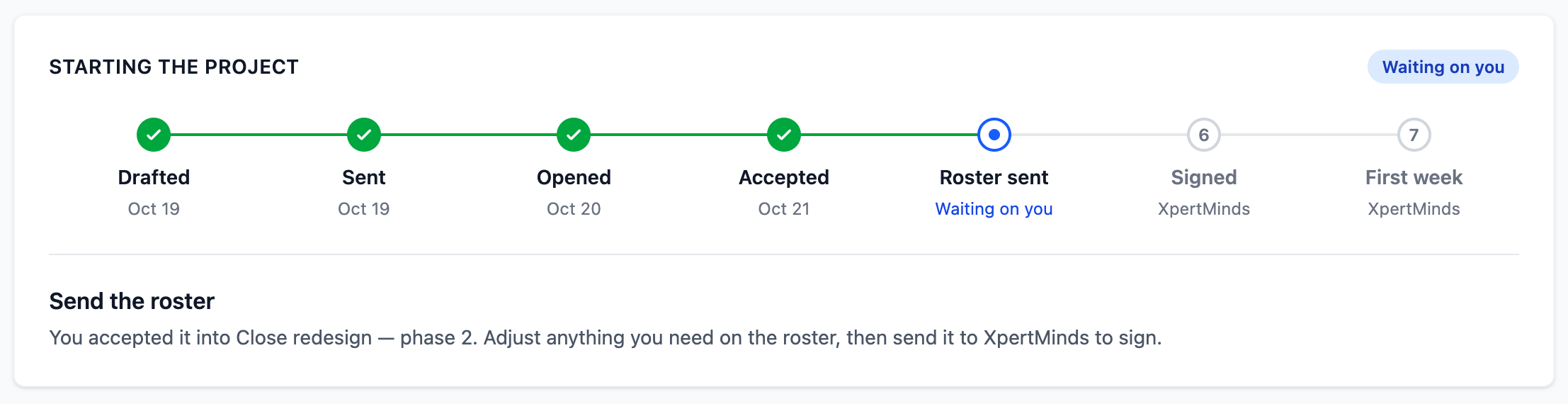
Signing waits on whoever's part is still open: the firm for its own people, the sub for a subcontracted line. The last step, First week, is done once that week has ended with its hours in; before work begins it just says when it starts, because nobody is being waited on. The strip stays on the project until then. For a managed client, the one with no Prilet account that the firm runs on its behalf, it shrinks to the firm's own steps, and an offer that expires stops the strip where it was.
Bringing on a subcontractor has the same shape and the same gap. A sub joins Prilet and gets their resume live, and then it isn't obvious to either side that the next move is the sub's own proposal. The connection's page, under Companies you work with, now opens with its own strip: Invited (or Asked, when the sub asked first), Joined Prilet, Resume live, Proposal, Accepted, First assignment. The prime sees "Waiting on Corbin SAP's proposal", with a note that nothing is needed from them until then. The sub, at that same moment, sees "Propose yourself to XpertMinds" and a Write your proposal button.
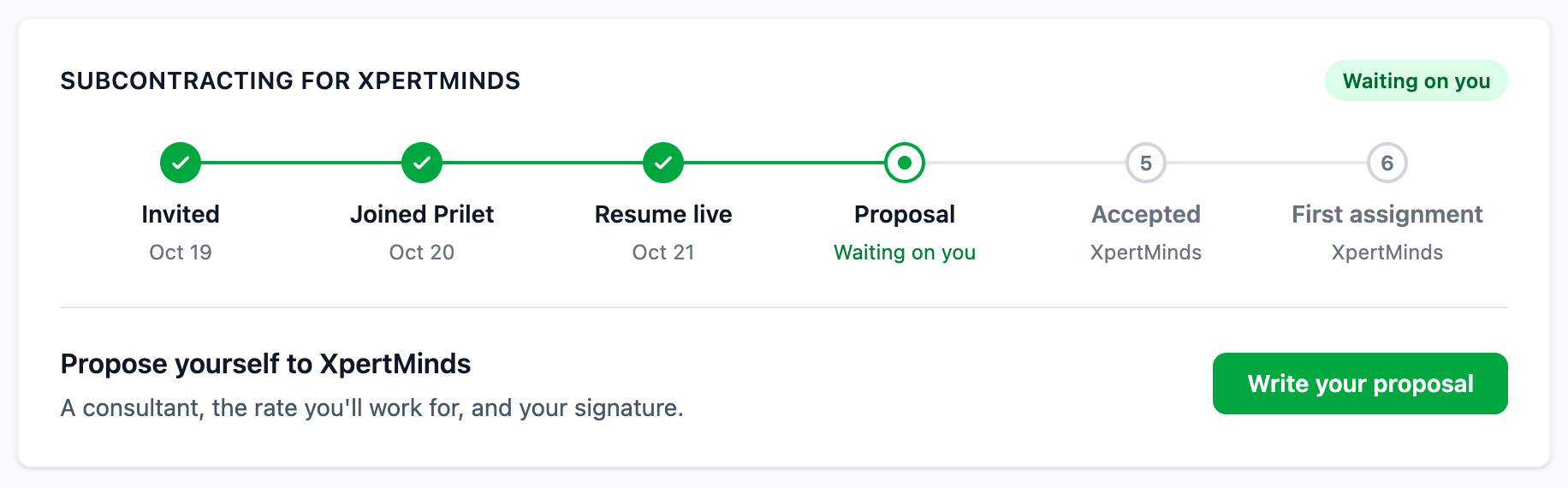
When it's your move, the strip carries the button for it. The prime is told only that a sub is still setting up; the detail of what's left stays with the sub, who is the one who can do something about it.
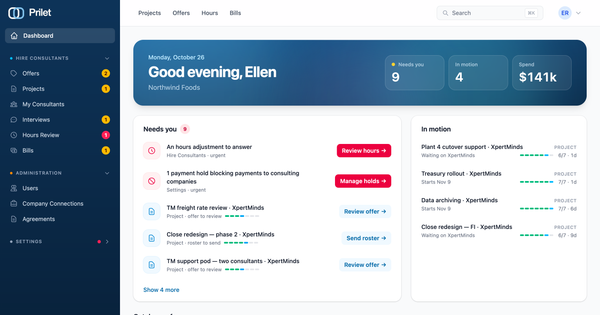
You don't have to open each record to find your own moves, either. Anything waiting on you appears on your dashboard under Needs you, with the button that makes the move: Review offer, Send roster, Review proposal, Answer invitation. Admins and managers who run engagements also get an In motion list of the ones waiting on the other side, with how far along each is and how long it's been waiting. If something there needs chasing, you'll know whose turn it is before you write.
Also new
If you pay a company by ACH, its bank transfer details are now on its agreement too, folded under How You Pay Them. When ACH can't be used and a payment has to go out by hand, you no longer need to open an invoice to find where to send it.